How to Make Money with AI Art in 2026 — Midjourney and Free Alternatives
Want to make money with AI art in 2026? This guide covers every commercial opportunity — from print-on-demand and digital downloads to freelancing and Amazon KDP — using Midjourney or completely free alternatives like Google ImageFX and Leonardo.ai. No design skills needed. Start today at zero cost.
Rachel
4/23/20269 min read
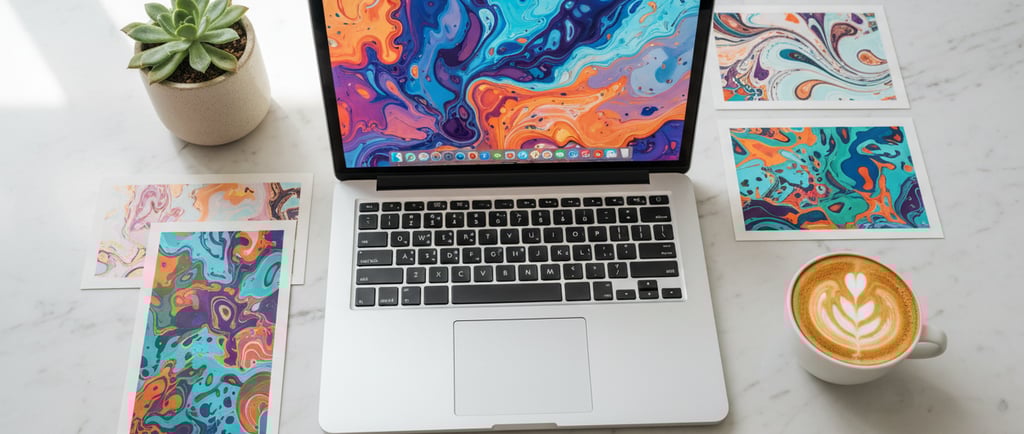
AI art has moved well past being a fun experiment. What started as people generating random images for curiosity has turned into something much more practical — a real way to create and sell digital products, content, and even services.
In 2026, the barrier to entry is surprisingly low. You don’t need to know how to draw, you don’t need design experience, and you definitely don’t need expensive software. What used to take hours (or years of skill to master) can now be done in minutes with the right prompts and a bit of practice.
Tools like Midjourney showed what’s possible — turning a simple text description into detailed, professional-looking images in seconds. And while Midjourney is still one of the most well-known options, it’s no longer the only path. There are now several free or low-cost alternatives that can produce very similar results, which makes it much easier to get started without committing money upfront.
That’s what makes this space interesting right now.
You can test ideas, experiment with different styles, and even start selling without needing to invest anything at the beginning. It gives you room to learn what works before you decide to take it further.
And there are real ways to make money with it.
People are using AI-generated art for things like printables, wall art, social media content, digital downloads, book covers, merch designs, and more. Some treat it as a side hustle — a way to bring in an extra few hundred dollars a month. Others build it into a more structured online business with multiple income streams.
But like anything online, it’s not just about generating images and hoping they sell.
The people who do well usually focus on specific niches, understand what buyers are actually looking for, and package their work in a way that feels useful or appealing. The tool makes creation easier — but the thinking behind it still matters.
There are also a few things that are easy to overlook at the start. Not every platform has the same rules around selling AI-generated content. Licensing, commercial use rights, and originality all come into play, especially if you’re planning to sell your work or use it in products.
That’s why it’s important to understand not just how to create the images, but how to use them properly.
In this guide, we’ll walk through the whole picture.
We’ll look at the realistic ways people are making money with AI art right now, the business models that actually work (and which ones to avoid), how to get started using free tools, and what you need to know from a legal and practical standpoint before you start selling.
If you’re curious about turning AI art into something more than just a hobby, this will give you a clear and practical place to start.
First — Is Midjourney Free in 2026?
Let's be upfront about this because a lot of people search for a free Midjourney plan and get confused.
Midjourney does not offer a free plan in 2026. Paid plans start at $10 per month. That's genuinely not expensive given what it produces, but if you want to test the concept before committing any money, there are excellent free alternatives that will get you 90% of the way there.
The best free AI image tools in 2026:
Google ImageFX — powered by Google's Imagen 4 model, this is widely considered the best free alternative to Midjourney right now. Image quality is genuinely impressive, daily limits are generous, and it requires nothing more than a Google account.
Leonardo.ai — offers a free tier with around 150 tokens per day (roughly 15–30 images). Strong quality, good for concept art and digital products, and the interface is beginner-friendly.
Ideogram — around 25 free images per day and the standout tool in 2026 for generating readable text inside images. If you need posters, signage, or quote graphics, this is the one to use.
Craiyon — unlimited free generations with no signup required. Quality is lower than the others, but it's perfect for experimenting and testing ideas before committing to a paid tool.
Microsoft Designer / Bing Image Creator — free with a Microsoft account, runs on DALL-E technology, unlimited generations (the first 15 per day are fast, then slower). A solid everyday option.
The smart approach: start with Google ImageFX or Leonardo.ai for free, learn what sells, then upgrade to Midjourney once you're making money.
The Commercial Opportunities — What You Can Actually Sell
Here's where it gets exciting. AI art opens up multiple income streams, and most of them are passive once set up.
1. Print-on-Demand Products
This is the most popular entry point and for good reason — it requires zero upfront investment and no inventory.
You create the design using an AI art tool, upload it to a print-on-demand platform, and they handle printing, packaging, and shipping every time someone places an order. You earn the profit margin without ever touching a product.
What you can sell: t-shirts, hoodies, mugs, tote bags, phone cases, wall art prints, cushions, notebooks, posters, and more.
Best platforms to use: Printify, Printful, Redbubble, Teepublic, Zazzle, and Gelato. All are free to join.
What niches work best in 2026: vintage-style travel posters, cute animal illustrations, motivational quote designs, niche hobby art (fishing, hiking, gaming, gardening), astrology and spiritual themes, and seasonal designs tied to holidays or trending moments.
The key is specificity. "Dog lover" is too broad. "Golden Retriever mum" is a niche. The tighter your focus, the easier it is to rank on Etsy and get found by buyers who are ready to purchase.
2. Sell Digital Art Downloads on Etsy
Instead of print-on-demand, you can sell the digital files directly. Buyers pay once, download the file, and print it themselves at home or at a local print shop.
This is one of the purest passive income models available — you create the design once and it can sell hundreds of times with zero additional effort.
Popular digital art categories on Etsy in 2026: wall art sets, botanical prints, abstract art, motivational quotes, nursery prints, kitchen prints, and seasonal artwork.
Bundle your designs into sets of three, five, or ten prints at different sizes. Bundles convert better than single files and increase your average order value without any extra design work.
3. Stock Image Licensing
Upload your AI-generated images to stock photography platforms and earn a royalty every time someone downloads your image for use in their project.
The main platforms to consider: Adobe Stock, Shutterstock, iStock, Alamy, and Wirestock. Wirestock is particularly useful because it distributes your images across multiple stock sites simultaneously from one upload.
This is a slow burn — you won't earn much from a small portfolio. But with hundreds of images across multiple platforms, it becomes a meaningful passive income stream over time.
Important note: each platform has its own policy on AI-generated content. Adobe Stock accepts it but requires you to label images as AI-generated. Check each platform's current policy before uploading.
4. Sell Prompt Packs
This is an underrated opportunity that most people overlook.
A well-crafted AI prompt — one that consistently produces high-quality, commercially useful images — has genuine value. People who want to create AI art but struggle with writing effective prompts will pay for a collection of proven ones.
You can package your best prompts into a simple PDF or Notion document and sell it on Etsy or Gumroad for $5–$30. Niche prompt packs perform especially well — "50 Midjourney prompts for cosy autumn wall art" or "30 prompts for children's book illustration" both target buyers with a very specific need.
Use ChatGPT to help you organise and describe your prompt packs, and Canva to design a professional-looking cover and product mockup.
5. Freelance AI Art Services
Offer custom AI-generated artwork as a service on Fiverr or Upwork. Because generation is so fast, your time investment per project is low — meaning your effective hourly rate can be very high compared to traditional design work.
Services that sell well: custom portrait illustrations, book cover designs, logo concepts and mood boards, social media graphics, children's book illustrations, YouTube thumbnails, and branded background images.
Position yourself as someone who delivers fast, high-quality AI-assisted artwork. Be transparent with clients that you use AI tools — most don't mind, they care about the result and the turnaround time.
6. Children's Books and Amazon KDP
This has become one of the more talked-about AI art income models in 2026. Use an AI image tool to illustrate a children's picture book, write the text yourself or with ChatGPT, format it in Canva or a simple layout tool, and publish it on Amazon KDP (Kindle Direct Publishing) — which is completely free.
When someone buys your book on Amazon, you earn a royalty. No upfront cost, no inventory, no printing — Amazon handles everything.
The market is competitive, so the same rule applies as with print-on-demand: go niche. A book about a red panda who learns to share is more findable than a generic book about friendship.
7. Social Media Content Packages for Small Businesses
Small businesses need a constant stream of visual content for Instagram, Facebook, and Pinterest — and most don't have the time or budget to hire a full designer.
You can offer monthly AI art content packages: a set of 20–30 custom graphics per month for a flat fee. Use the AI tool to generate the raw visuals, then bring them into Canva to add text, branding, and polish. Charge $50–$200 per month depending on volume and the client's size.
This creates recurring monthly income, which is far more stable than one-off freelance jobs.
8. Faceless YouTube or TikTok Content
AI-generated art makes for compelling visual content, especially in niches like fantasy, concept art, travel, and ambient aesthetics. Create faceless videos — slideshows of AI art with voiceover or music — and monetise through ad revenue, affiliate links, or directing viewers to your Etsy shop.
This pairs naturally with your other income streams and adds a traffic channel on top of Pinterest.
The Legal and Commercial Use Rules — Read This Before You Sell
This is the part most guides skip, and it matters.
Midjourney: Paid plan subscribers have full commercial use rights to images they generate. Free plan users (if a free tier returns) do not. Always check the current terms on their website.
Google ImageFX, Leonardo.ai, Ideogram: Most offer commercial use rights even on free tiers, but terms vary and can change. Check the terms of service for whichever tool you use before selling anything.
What to avoid regardless of tool: Do not generate images of real, named people. Do not attempt to replicate the style of a specific living artist in a way that mimics their work closely. Do not use copyrighted characters, logos, or trademarked symbols in designs you plan to sell.
Labelling AI art: Some platforms — including Adobe Stock and Amazon KDP — now require you to disclose that images are AI-generated. Get into the habit of doing this proactively. It protects you and it's the right thing to do.
How to Get Started This Week — Step by Step
Step 1 — Pick your income model Choose one to start with. Print-on-demand or digital downloads on Etsy are the best starting points for most people because they are free to set up and fully passive once running.
Step 2 — Choose your free tool Start with Google ImageFX or Leonardo.ai. Both are free, both produce strong results, and both are beginner-friendly. You do not need to pay for Midjourney until you are already making money.
Step 3 — Pick a tight niche Use ChatGPT to research what's selling. Ask: "What are the best-selling print-on-demand niches on Etsy in 2026?" Then go one level deeper — not "cat lover" but "black cat Halloween art" or "cat mum botanical print."
Step 4 — Generate your designs Create 10–20 images in your chosen niche. Experiment with prompts, try different styles, and keep only the strongest results. Quality over quantity — especially when you're starting out.
Step 5 — Set up your shop Open a free Etsy account. Use ChatGPT to write your product titles, descriptions, and tags with strong SEO. Upload your designs with clean mockup images — Canva has free mockup templates that make your listings look professional.
Step 6 — Drive traffic with Pinterest Create Pinterest pins for each product using Canva's free Pinterest pin templates. Write keyword-rich descriptions with ChatGPT and pin consistently. This is the same Pinterest strategy covered in the Canva article — it works just as well for AI art products.
Step 7 — Scale what works After a month, look at which designs are getting views and saves. Make more of those. Drop what isn't working. Over time, your catalogue grows, your traffic compounds, and the income becomes genuinely passive.
Realistic Earnings — What to Actually Expect
Be honest with yourself about the timeline:
Months 1–2: You are learning. Expect little to no income while you figure out prompts, niches, and listings. This is normal.
Months 3–6: If you are consistent, $50–$300 per month is a realistic target. Some people hit this faster, some slower.
6–12 months: With a solid catalogue, good SEO, and active Pinterest promotion, $500–$1,500 per month is achievable for focused sellers.
Freelance services: Faster cash. One Fiverr client this week can pay you immediately while your passive income builds in the background.
The people who fail at this are usually the ones who create ten designs, see no sales in two weeks, and quit. Treat it like a slow-building asset, not a get-rich-quick scheme.
Final Thoughts
AI art is one of the most accessible creative income opportunities available in 2026. The tools are free or nearly free, the barriers to entry are low, and the business models are proven.
The opportunity is real — but so is the work. Start small, pick one model, stay consistent, and let your catalogue build over time.
If you are already using Canva to sell digital products, adding AI-generated art is a natural next step. The audiences overlap, the platforms are the same, and the skills you build carry across both.
Start this week. Your future passive income is waiting.
You Might Also Like
How to Make Money with Canva, ChatGPT & Pinterest in 2026 — The Complete Guide Learn how to turn Canva templates, digital products, and Pinterest traffic into a real passive income stream. No design experience needed, start for free today.
7 Best Side Hustles You Can Start From Your Phone in 2026 No laptop, no office, no problem. These are the best low-cost side hustles you can run entirely from your phone — including print-on-demand, digital products, and more.
How to Start Selling Digital Products on Etsy in 2026 — Beginner's Guide Everything you need to know about setting up your first Etsy shop, writing listings that rank, and getting your first sale — even with zero reviews.
Free Tools to Make Money Online in 2026 — The Ultimate List A curated list of the best free tools for building an online income — from design and AI to marketing and selling — so you can start without spending anything.
Low Cost Hustle
Helping people make money online with simple side hustles, practical guides, and free tools.
About
Links
© Low Cost Hustle 2026. All rights reserved.