How to Make Money with Canva (Beginner Guide)
Learn how to make money with Canva using simple, beginner-friendly methods like digital products, templates, and content creation—no design experience needed.
SIDE HUSTLE IDEAS
4/21/20262 min read
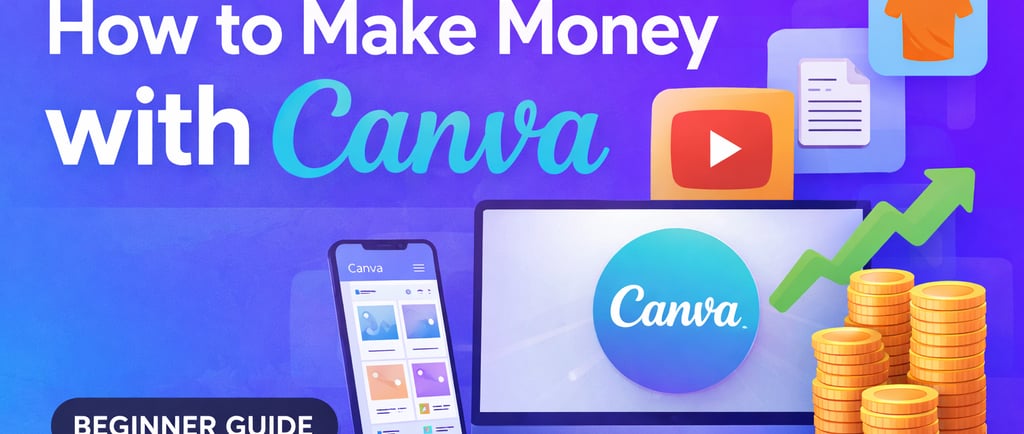
Canva is one of the easiest tools to start making money online — even if you have no design experience.
In this guide, you’ll learn how to make money with Canva, including simple methods you can start today using just your phone or laptop.
Why Canva Is Perfect for Beginners
Canva is:
Free to use (basic version)
Easy to learn (drag-and-drop)
No design skills required
👉 This makes it one of the best tools for starting an online income with zero investment.
7 Ways to Make Money with Canva
1. Sell Canva Templates
One of the most popular ways to earn money is by creating templates.
You can design:
Instagram posts
Business cards
Resume templates
Pinterest pins
Then sell them on:
Etsy
Creative Market
Your own website
💰 Earnings: $5 – $100+ per template
👉 Passive income once uploaded
2. Offer Social Media Design Services
Many businesses need help with social media content.
You can:
Create Instagram posts
Design Facebook ads
Make story templates
👉 Offer your services on:
Fiverr
Upwork
Facebook groups
💰 Earnings: $50 – $500+ per client
3. Create Digital Products
Use Canva to create:
Planners
E-books
Checklists
Workbooks
Sell them on:
Etsy
Gumroad
Shopify
💰 Earnings: Scalable (sell multiple times)
4. Start a Print-on-Demand Business
Design products like:
T-shirts
Mugs
Phone cases
Upload your designs to:
Redbubble
Teespring
Printify
👉 You earn every time someone buys your design
💰 Earnings: $1 – $20+ per sale
5. Create YouTube Thumbnails
YouTubers need eye-catching thumbnails.
You can:
Design thumbnails using Canva
Sell services on Fiverr
💰 Earnings: $5 – $20 per thumbnail
6. Sell Canva Design Services to Local Businesses
Reach out to:
Small businesses
Cafes
Online stores
Offer:
Flyers
Menus
Posters
💰 Earnings: $50 – $300 per project
7. Create and Sell Canva Courses or Tutorials
Once you learn Canva, you can teach others.
Create:
Short tutorials
Beginner guides
Sell on:
Gumroad
Udemy
Your own site
💰 Earnings: Passive income over time
How to Start (Step-by-Step)
Sign up for Canva (free)
Choose one method (don’t try everything at once)
Create 3–5 sample designs
Upload or offer your service
Promote your work consistently
👉 Focus on ONE method first for faster results.
Realistic Earnings
Beginner: $10 – $50/day
Intermediate: $100 – $300/day
Advanced: $500+/day (with scaling)
👉 Consistency matters more than talent.
Common Mistakes to Avoid
Trying too many methods at once
Expecting instant income
Copying other designs
Not promoting your work
Giving up too early
Tips to Succeed Faster
Focus on trending designs
Keep your designs simple
Use templates as inspiration
Learn basic design principles
Stay consistent daily
Final Thoughts
Making money with Canva is one of the easiest ways to start earning online without investment.
You don’t need:
expensive tools
design experience
or a big audience
👉 Just time, effort, and consistency.
Start small, stay consistent, and your income can grow over time.
FAQ
Can beginners really make money with Canva?
Yes. Canva is designed for beginners and requires no prior experience.
Do I need Canva Pro?
No, but Canva Pro gives you more templates and features.
How long does it take to make money?
Some people earn within days, but consistent income usually takes a few weeks.
Is Canva income passive?
Some methods (like templates) can become passive over time.
Want more ideas? Check out our guide on side hustles that pay daily and how to make $10 a day online
Low Cost Hustle
Helping people make money online with simple side hustles, practical guides, and free tools.
About
Links
© Low Cost Hustle 2026. All rights reserved.